
Built for window-treatment professionals
Measure faster. Miss less.
Measurement software built specifically for window-treatment professionals.
Move room by room and opening by opening while your measurements, photos, notes, product details, and job information stay organized in one place.
No credit card required.
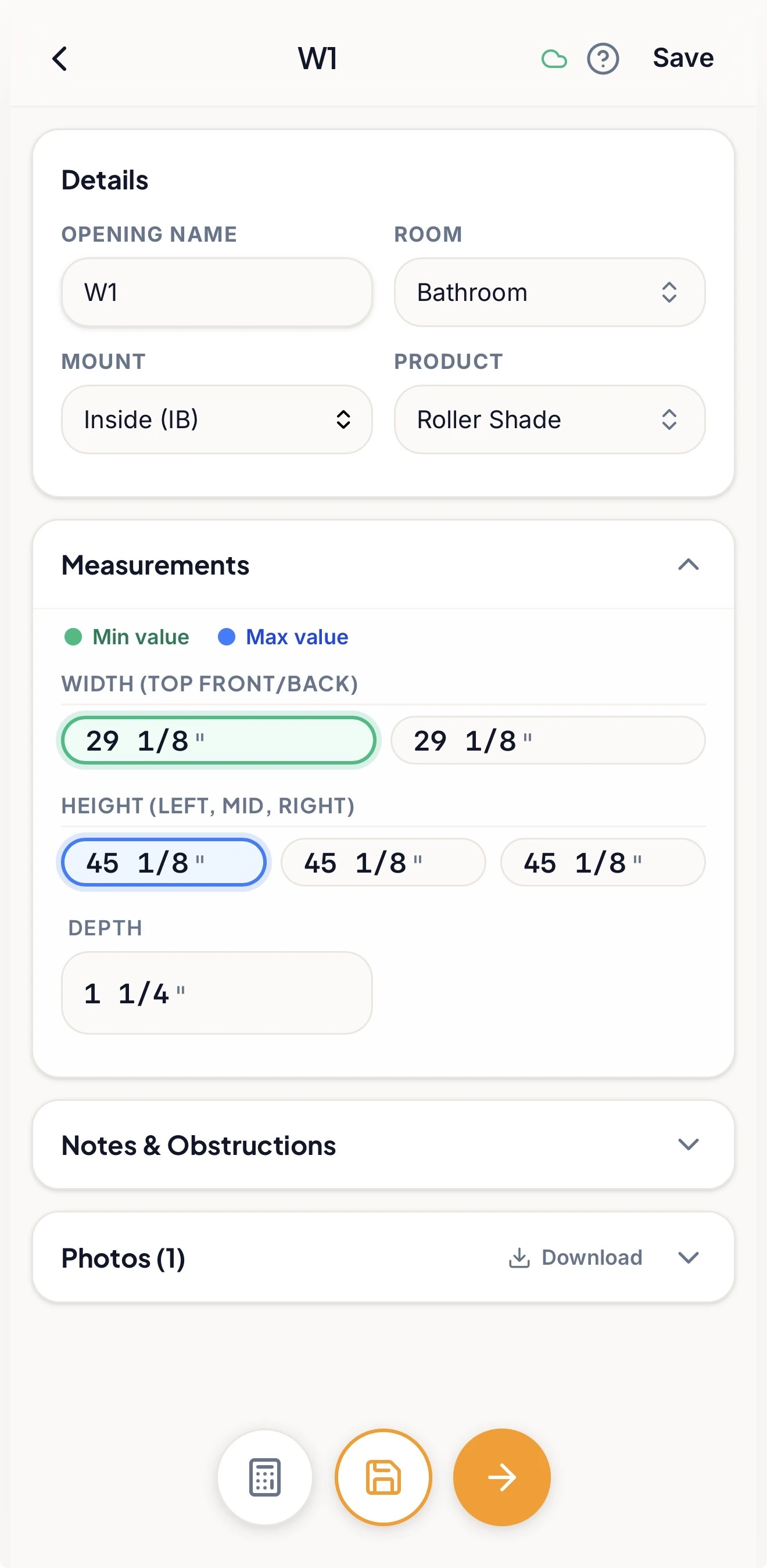
- Built for window treatments
- Works on phone, tablet & desktop
- Keep measuring with locally available projects
- 14-day trial, no card
The old way gets messy
Stop re-entering the job.
Capture information in the field instead of rebuilding your measure later from paper, photos, and notes.
- 01
Measurements in one place, photos in another?
Keep the picture with the room and opening it belongs to.
- 02
A different checklist for every product?
Use the measuring workflow that fits what you're installing.
- 03
Details remembered too late?
Record the obstructions, notes, and measurements while you're at the window.
How it works
From front door to finished measure.
Start with the job, move through its rooms and openings, and give everything a final look before it moves forward.
- 1
Start with the job.
Add the client and project details.
- 2
Organize the home.
Set up rooms and openings the way they actually exist.
- 3
Choose the product.
Apply the measuring template that fits each opening.
- 4
Measure the way you read the tape.
Capture dimensions as you go.
- 5
Keep the details with the opening.
Add photos, markup and notes while you're there.
- 6
Review before handoff.
Find unfinished or unusual items worth another look.
- 7
Use what you've captured.
Prepare a measure sheet, export data, or send a supported project to Solatech.
- See How It Works
Your products. Your process.
Build the measuring workflow around what you sell.
A roller shade doesn't need the same information as a shutter. A drapery opening doesn't need the same workflow as a cellular shade.
Openings lets you build reusable measuring workflows around the products you actually sell — including the fields, formulas, guidance, and checks you want your measurers to follow.
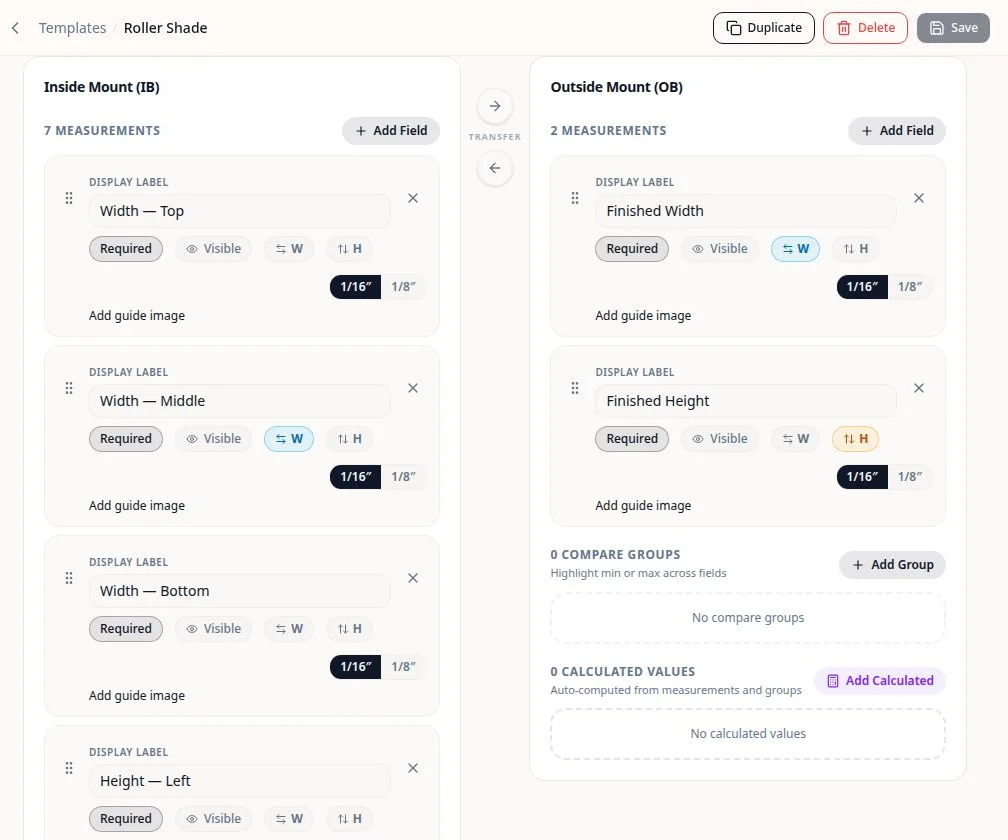
Build it once. Use it on every job.
- Product-specific fields
- Required measurements
- Inside / outside mount details
- Formulas & calculated fields
- Comparison checks
- Guide images & guidance
Guided measuring
Stay in the flow.
Move from room to room, opening to opening, and measurement to measurement without constantly stopping to decide what comes next. Openings guides you through the measurements your selected product workflow requires and keeps track of your progress as you move through the job.
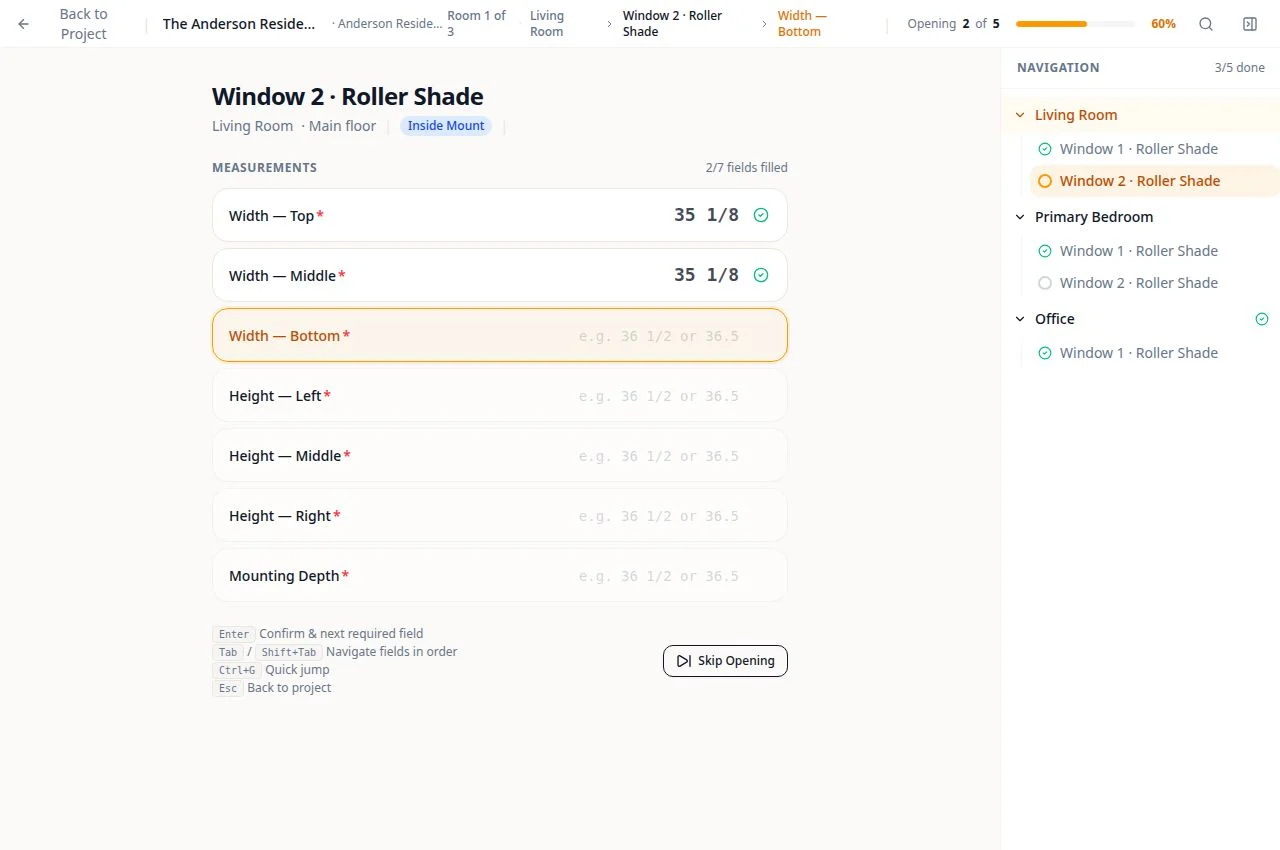
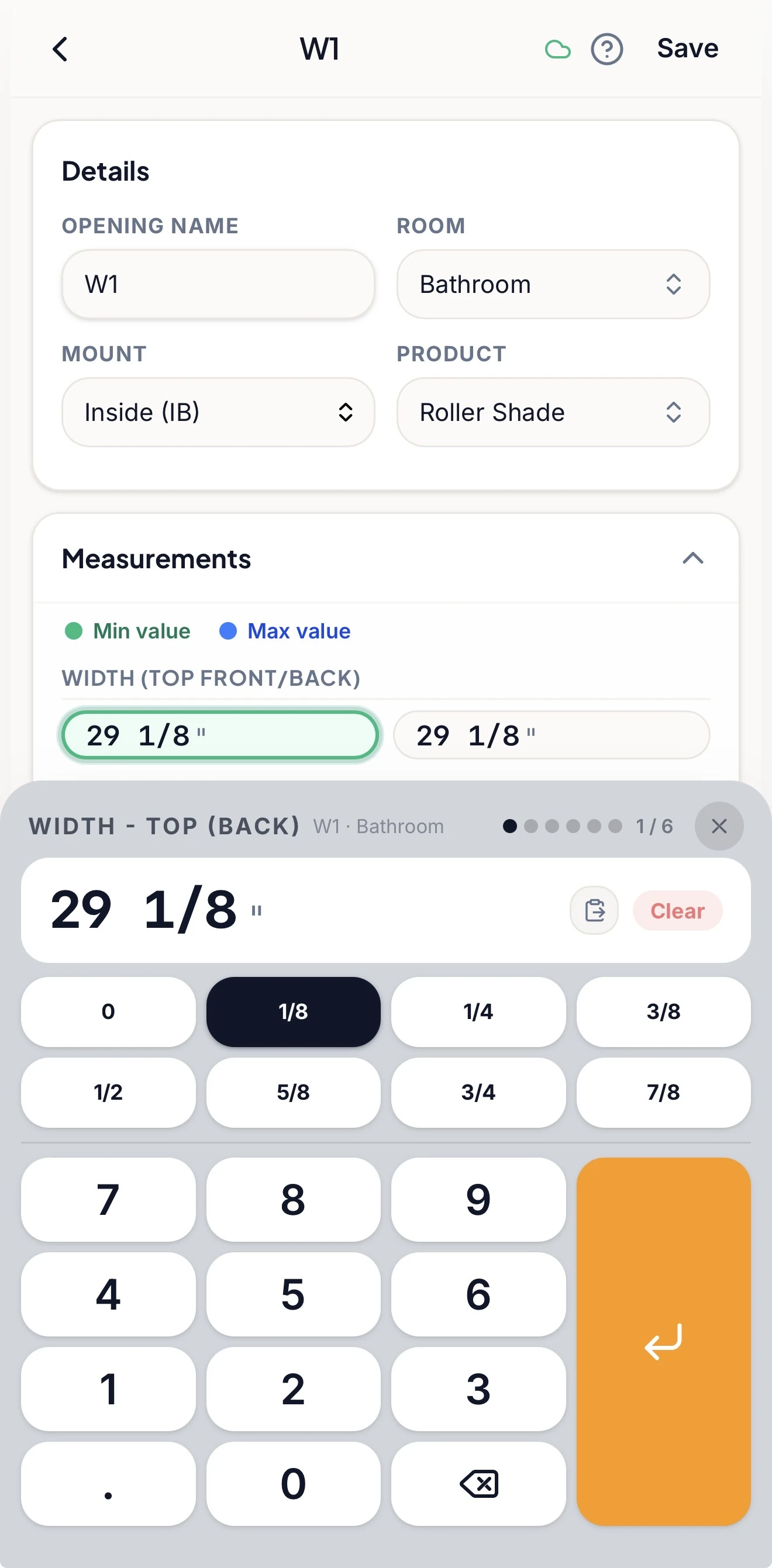
Built around the tape measure
Fractions aren't an afterthought.
Enter dimensions the way you read them from the tape instead of converting every measurement into a generic decimal field. Openings supports whole numbers, fractions, and decimals, with tools designed around the way window-treatment professionals actually measure.
343⁄8″ × 621⁄16″
The photo stays with the window
Stop hunting through your camera roll.
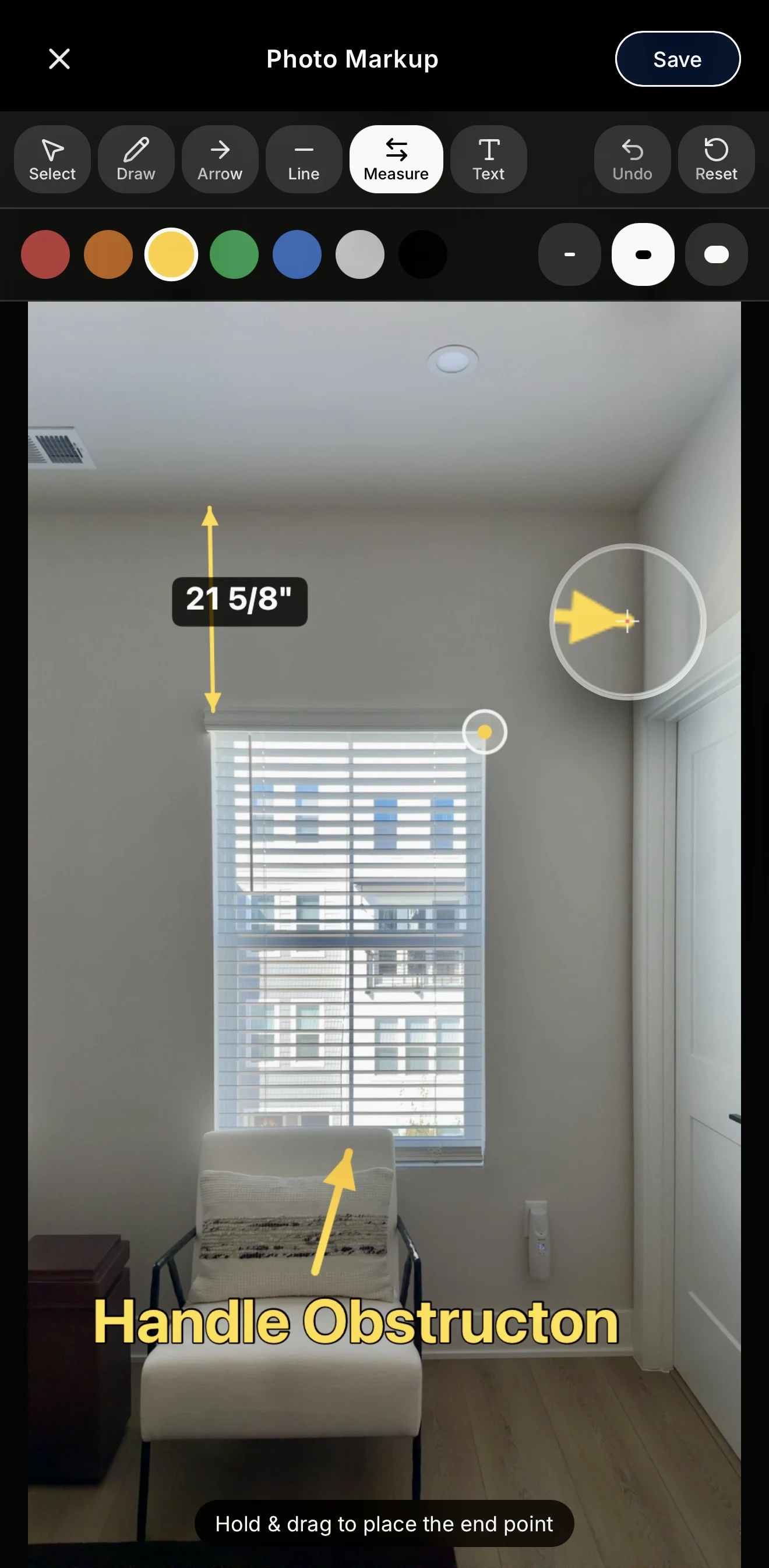
Take or upload photos while you measure and keep them attached to the opening they belong to. Add arrows, dimensions, lines, drawings, and notes directly to the image when something needs to be called out.
When you review the job later, the picture and the measurements are still together.
Catch problems earlier
Review the job before it becomes an order.
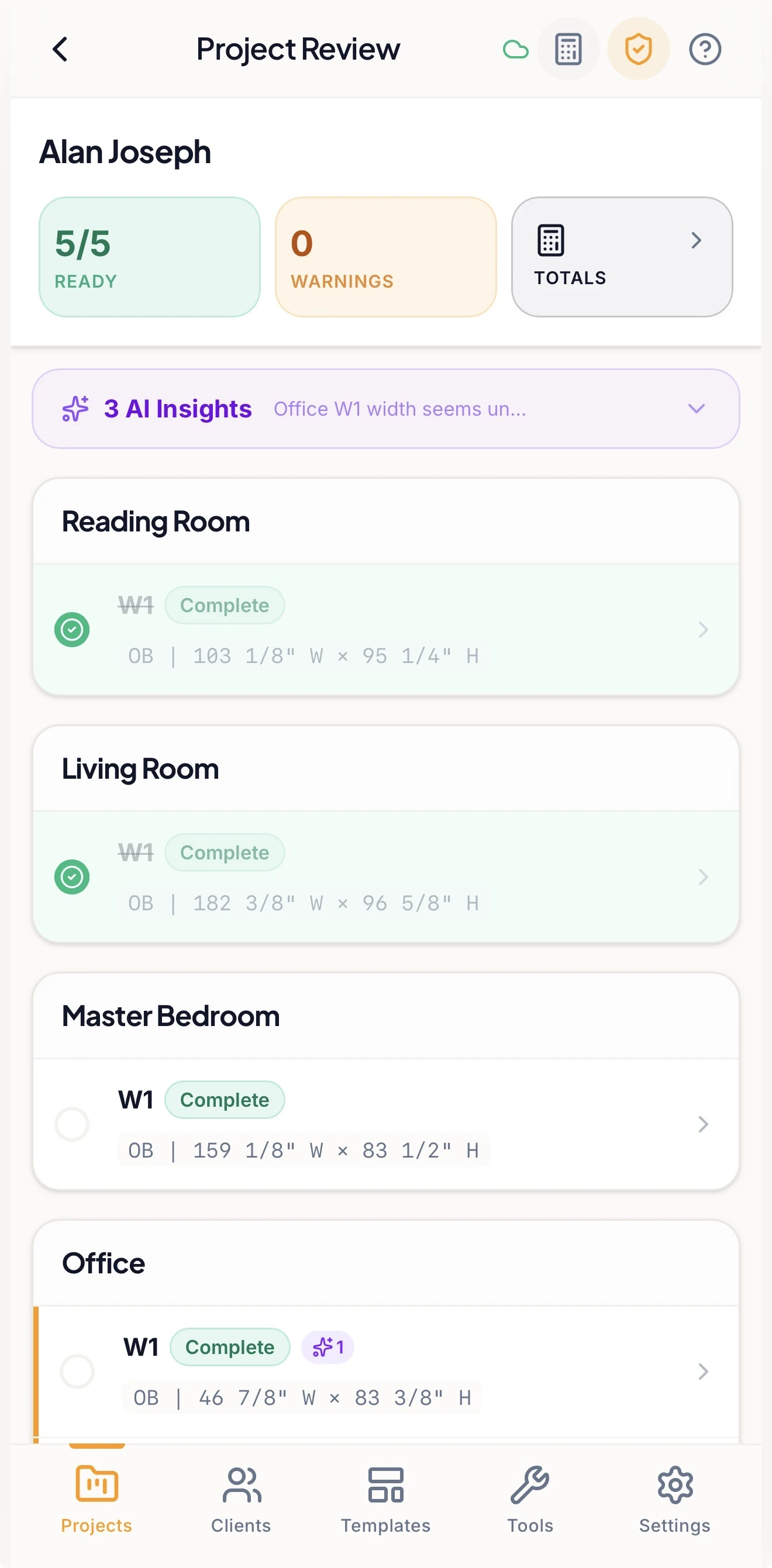
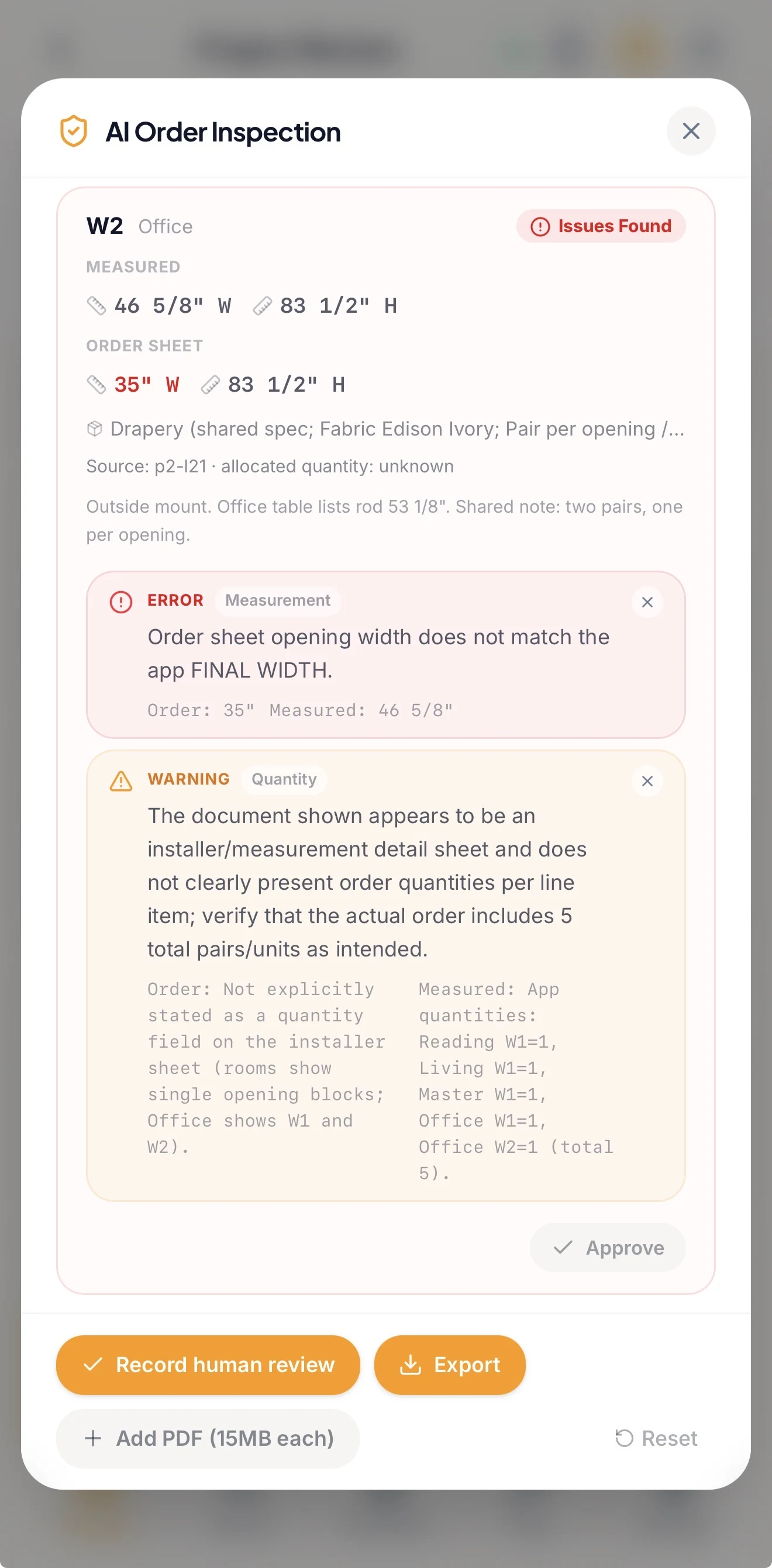
See incomplete openings, missing required measurements, configured comparison warnings, and other items worth another look before the job moves forward. Optional AI-assisted review can surface unusual values or inconsistencies for a person to investigate.
No more rebuilding the job
Turn field measurements into usable project information.
Create an internal measure-sheet PDF with available measurements, notes and photos from the project. Export structured opening information to CSV or download available photos when you need to pass the job along. The work you've captured at the window is ready to use after the measure.
Built for field work
No signal? Keep measuring.
Keep working with locally available projects when connectivity is unreliable, then synchronize your changes when you're back online.
Already using Solatech?
Connect Openings to your supported Solatech account and send individual projects into your existing workflow without rebuilding the measure from scratch.
Projects are sent individually, not continuously synced.
See how Solatech worksAssisted order review
Compare the order against the measure.
Upload a supported order-sheet PDF and let Openings help compare ordered dimensions with the measurements captured in the project. Surface matches, mismatches, missing items, and other findings for a final human review.
Assisted review does not replace final verification.
Built in the field
Built for the way we actually measure.
Openings started because I couldn't find measurement software that worked the way I actually wanted to measure. I run a custom window-treatment business and use Openings on real projects myself. The workflow has been shaped by the same things window-treatment professionals deal with every day: fractions, product-specific measurements, photos, obstructions, room-by-room measuring, and making sure important details don't get lost between the customer's home and the order. So I built the tool I wanted to use.
Pricing
Simple pricing for the way you work.
Start with a 14-day free trial. No credit card required.
View PricingSolo
For one window-treatment professional.
Team
For companies that measure together.
Try it on a real job
Take Openings to your next measure.
See what measuring feels like when the software is built around the way window-treatment professionals work.
No credit card required.