
A better way to measure
Everything you need at the window, organized for what comes next.
From a first room to a final review, Openings helps you collect measurements and job details in the same place. Built for the products window-treatment professionals actually sell.
No credit card required.
01 · Measure
Stay in the flow from one opening to the next.
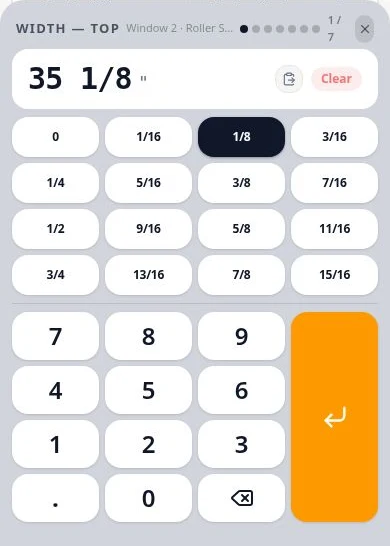
Guided measuring moves through the fields your selected product calls for and shows what's left to capture. Enter whole numbers, fractions or decimals the way you read them from the tape.
Helpful tools: Use the fraction calculator without leaving the job. Compatible Leica DISTO and other devices that send values as Bluetooth keyboard input can fill supported fields; Openings does not remotely trigger a laser or support every model. On devices with supported sensors, the compass can help record heading and view sun-exposure guidance.
02 · Capture
Keep the picture with the measurement.
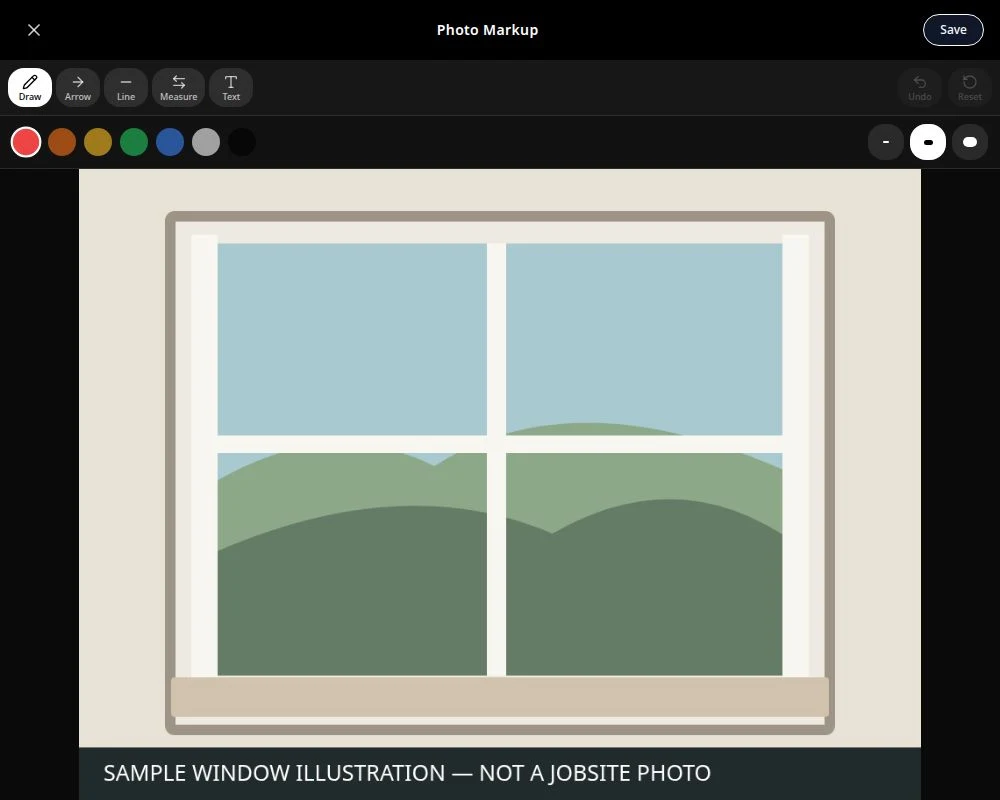
Attach photos, notes and obstructions to their openings. Mark up a photo with arrows, dimensions, lines, drawings or text so the detail is there when you return to the job.
03 · Standardize
Build the measuring workflow around what you sell.
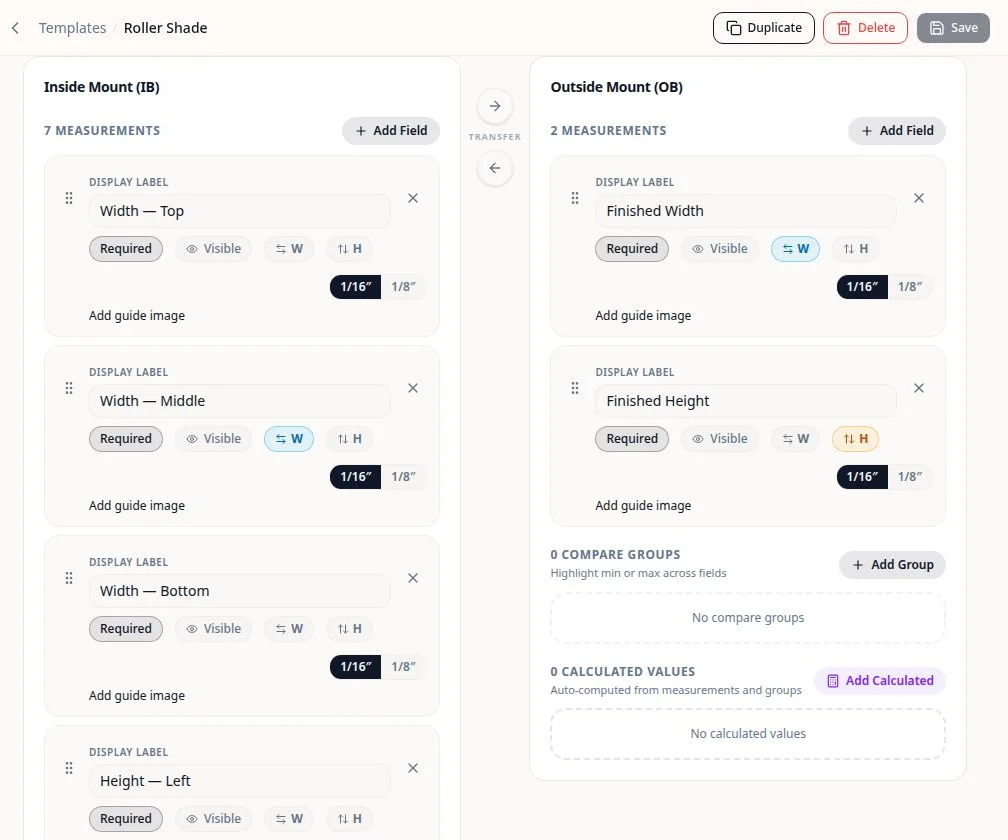
Create or duplicate templates with product-specific fields, required measurements, inside/outside mount details, formulas, calculated fields, comparisons and guide images. Import or export supported template files.
Use bulk editing for selected openings, copy opening data with an overwrite preview, or generate repeated room and opening structures for projects such as hotels and multifamily buildings.
04 · Review
Give the job another look before ordering.
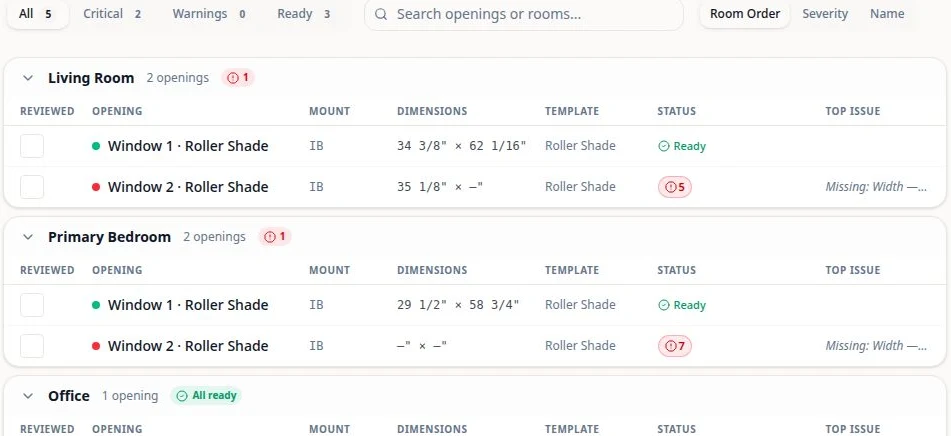
Track completion, review openings and follow warnings back to items needing attention. Optional AI-assisted insights can highlight unusual values. Order Inspection can help compare a supported order-sheet PDF with project measurements; a person makes the final call.
05 · Move the job forward
Use what you captured in the field.
Produce an internal measure-sheet PDF with available measurements, notes and photos; export structured opening data to CSV; download photos; or send an individual supported project to Solatech. CSV does not include notes or photo files, and Solatech is a per-project send.
06 · Work anywhere
The screen that fits the job.
Measure on a supported phone, use a tablet for more room, and review work on a desktop. Keep measuring on locally available projects when the connection drops, then synchronize changes when you're back online. See the FAQ for offline limits and data precautions.
07 · Work as a team
Keep the right people on the right jobs.
With active paid Team access, authorized members can invite teammates, assign projects and manage roles and access. Team collaboration requires paid access and is not part of the no-card trial.
08 · More in Openings
Small tools for real jobs.
The room/opening generator speeds setup for repetitive spaces; bulk editing and copy-opening tools cut repeated entry. Optional AI mockups can help visualize a treatment during a consultation, not guarantee its finished fit or color.
Start at the first opening
Build a cleaner measure from the first opening.
No credit card required.